
How to Identify Critical Dependencies in Legacy ERP Systems Before Migration
A practical guide to uncovering hidden system, data, and process dependencies before ERP migration

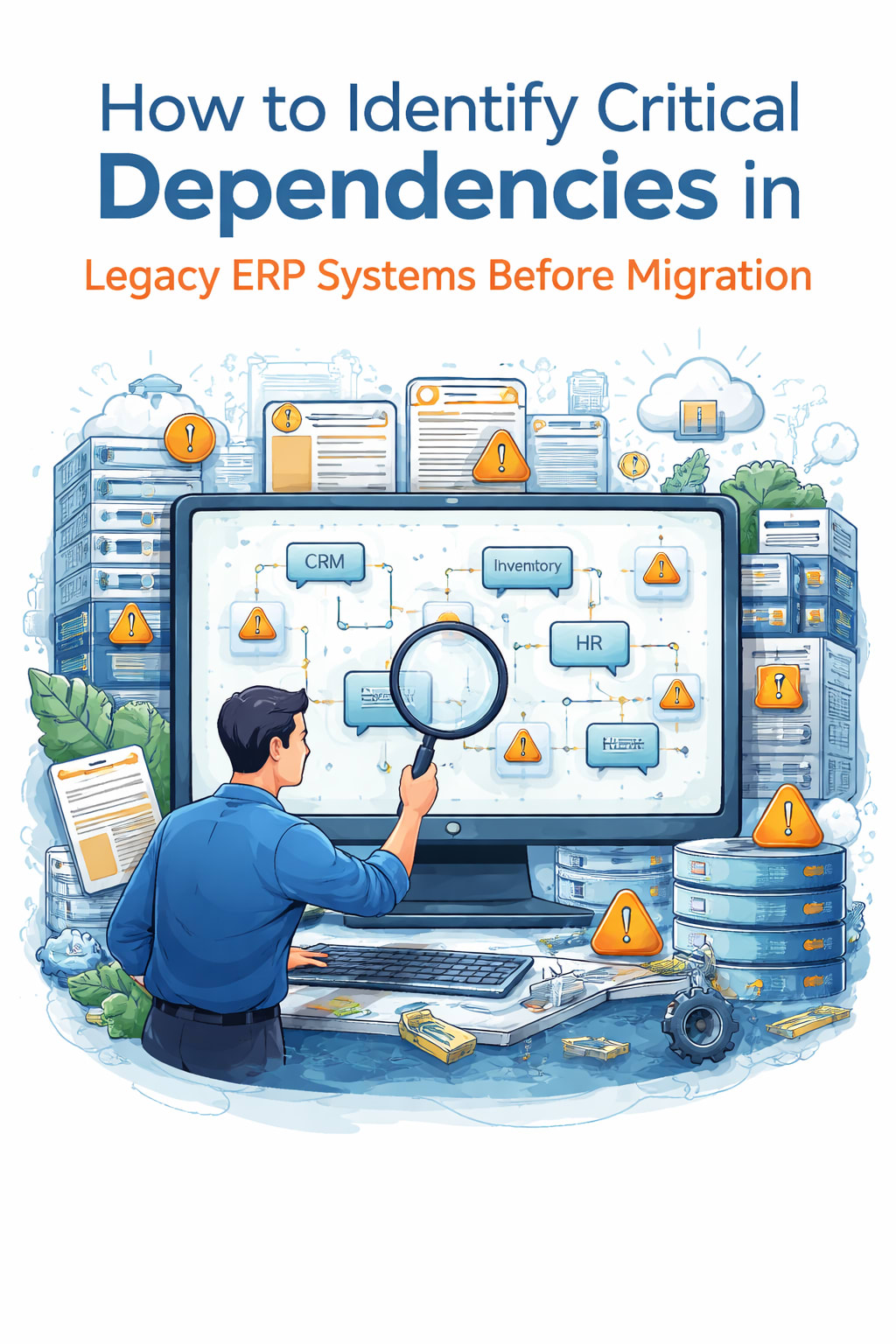
Migrating a legacy ERP system is not a purely technical exercise—it is a structural transformation of how an organization operates, exchanges data, and enforces business logic. The success or failure of such a migration often hinges on one factor: the ability to accurately identify and manage critical dependencies embedded within the legacy ecosystem.
Most ERP systems in long-standing organizations are not monolithic. They are layered, extended, and often intertwined with external tools, shadow systems, and undocumented workflows. Over time, this creates a dense web of dependencies that can be difficult to map but are essential to understand before any migration effort begins.
This article outlines a structured, practical approach to identifying critical dependencies in legacy ERP systems, reducing risk, and ensuring a controlled transition.
Understanding What “Critical Dependencies” Really Mean
Critical dependencies in an ERP context refer to any system, process, or data flow that, if disrupted, would cause operational failure, financial inaccuracies, or compliance issues.
These dependencies typically fall into several categories:
- Technical dependencies (databases, APIs, integrations)
- Data dependencies (master data, transactional data, reporting structures)
- Process dependencies (approval workflows, automated tasks)
- External dependencies (third-party systems, vendors, regulatory systems)
- Human dependencies (manual processes, tribal knowledge)
Understanding these layers is the foundation for any migration strategy.
Step 1: Build a Complete System Inventory
You cannot manage what you cannot see. The first step is to build a comprehensive inventory of all components connected to your ERP system.
This includes:
- Core ERP modules
- Custom extensions and plugins
- Middleware and integration layers
- External applications interacting with ERP
- Reporting and analytics tools
- Data pipelines and ETL processes
A common mistake is focusing only on officially documented systems. In reality, many dependencies exist outside formal documentation—especially in older systems that have evolved over years.
Best practice: Conduct interviews with long-term employees and system owners. These individuals often know undocumented integrations and “hidden” processes.
Step 2: Map Data Flows Across the Ecosystem
Data is the backbone of ERP systems. Understanding how data moves across systems is essential to identifying dependencies.
Create a data flow diagram that shows:
- Where data originates
- How it is transformed
- Where it is consumed
- How frequently it moves
Pay special attention to:
- Master data dependencies (customers, products, suppliers)
- Transactional flows (orders, invoices, payments)
- Reporting pipelines
Look for systems that depend on specific data structures or formats. These are high-risk dependencies because even small changes can break downstream processes.
Step 3: Identify Integration Points
Legacy ERP systems often rely on a wide range of integrations. These integration points are among the most critical dependencies because they connect the ERP system to the outside world.
Common integration types include:
- APIs (REST, SOAP)
- File-based integrations (CSV, XML, batch uploads)
- Database-level connections
- Message queues and middleware
For each integration, document:
- Direction of data flow (inbound, outbound, bidirectional)
- Frequency (real-time, batch, scheduled)
- Data format and schema
- Authentication and security mechanisms
You should also assess how tightly coupled each integration is. Highly coupled systems are more difficult to migrate without breaking functionality.
Step 4: Analyze Customizations and Extensions
One of the biggest challenges in ERP migration is dealing with custom code.
Over time, organizations build:
- Custom modules
- Business logic overrides
- Scripts and automation routines
- Tailored reporting functions
These customizations often encode critical business rules. Removing or replacing them without careful analysis can lead to unexpected failures.
For each customization:
- Determine its purpose
- Identify which business processes depend on it
- Evaluate whether it can be replaced with standard functionality
- Assess its complexity and technical debt
Custom code is often one of the largest sources of hidden dependencies.
Step 5: Map Business Processes to System Components
ERP systems do not exist in isolation—they support business processes. To fully understand dependencies, you must connect system components to the processes they enable.
Examples include:
- Order-to-cash processes
- Procure-to-pay workflows
- Financial closing cycles
- Inventory management
- Payroll and HR processes
Map each process step to the corresponding ERP modules, integrations, and data flows.
This step reveals dependencies that may not be obvious from a purely technical analysis. For instance, a single approval workflow might rely on multiple systems and data sources.
Step 6: Identify External Dependencies
Legacy ERP systems are rarely self-contained. They often interact with external systems such as:
- Banking systems
- Tax authorities
- Supply chain platforms
- CRM systems
- E-commerce platforms
Each external dependency introduces risk because you do not control the external system’s behavior or change cycles.
For each external integration:
- Assess reliability and availability
- Review SLAs and vendor contracts
- Understand data exchange protocols
- Identify fallback or contingency mechanisms
External dependencies must be treated as high-priority in any migration plan.
Step 7: Detect Shadow Systems and Workarounds
Shadow systems are unofficial tools or processes created by users to compensate for system limitations. These often include:
- Excel-based workflows
- Manual data exports and imports
- Independent databases maintained by departments
- Ad hoc reporting tools
Although unofficial, these systems are often critical to business operations.
Shadow systems introduce hidden dependencies that are frequently overlooked during migration planning. If they are not identified and addressed, they can cause significant disruption post-migration.
Key approach:
- Interview end users across departments
- Analyze recurring manual tasks
- Identify data exports and manual reporting processes
- Step 8: Perform Dependency Impact Analysis
Once dependencies are identified, the next step is to assess their criticality.
Not all dependencies carry equal weight. Some are mission-critical, while others are low-risk.
For each dependency, evaluate:
- Business impact if it fails
- Frequency of use
- Complexity of replacement
- Recovery time objective (RTO)
- Data sensitivity and compliance implications
This analysis helps you prioritize which dependencies must be preserved, replaced, or redesigned during migration.
Step 9: Classify Dependencies into Migration Categories
After analysis, classify dependencies into categories such as:
- Must migrate – critical to operations, must be replicated or replaced
- Can be retired – obsolete or redundant
- Can be replaced – supported by standard ERP features
- Requires redesign – needs architectural changes
This classification provides a clear roadmap for migration planning.
Step 10: Create a Dependency Risk Register
A dependency risk register is a centralized document that tracks all identified dependencies and their associated risks.
Include:
- Dependency name and description
- Owner or responsible team
- Criticality level
- Migration status
- Risk factors
- Mitigation strategies
This register becomes a living document throughout the migration process and ensures accountability.
Step 11: Validate Findings Through Testing
Dependency identification is not complete until validated.
Conduct:
- Proof-of-concept migrations
- System simulations
- Integration testing
- User acceptance testing (UAT)
These tests help uncover hidden dependencies that were not identified during initial analysis.
Step 12: Align with Stakeholders Early
Migration success depends on alignment across IT and business teams.
Ensure that:
- Business stakeholders validate critical processes
- IT teams confirm technical feasibility
- Compliance and security teams review risks
Stakeholder alignment ensures that no critical dependency is overlooked due to organizational silos.
Common Mistakes to Avoid
Even experienced teams make errors during dependency analysis. Watch out for:
- Focusing only on documented systems
- Ignoring manual and shadow processes
- Underestimating integration complexity
- Overlooking data dependencies
- Failing to involve business users early
- Treating ERP migration as a purely technical task
Avoiding these mistakes significantly increases your chances of success.
Final Thoughts
Identifying critical dependencies in a legacy ERP system is not a one-time task—it is a structured, iterative process that combines technical analysis with business understanding.
The depth and accuracy of this step directly determine the success of your migration. Without a clear understanding of dependencies, organizations risk data loss, operational disruption, and costly rework.
A well-executed dependency analysis transforms ERP migration from a high-risk endeavor into a controlled, predictable evolution of your enterprise systems.
About the Creator
Chudovo
Chudovo is a custom software development company, focused on complex systems implementation.
Swing Science: What Most Golfers Overlook
Golf is often referred to as a game of precision, patience, and mental focus. While many golfers dedicate countless hours to refining their grip, stance, and swing speed, one critical dimension of improvement is frequently overlooked—the science behind the swing itself. A deeper understanding of biomechanics, physics, and the subtle mechanics involved in each movement can transform an average swing into a highly efficient and repeatable one. By paying attention to these often-ignored factors, golfers can unlock greater consistency, power, and control in their game.
By Sarang Ahuja5 days ago in Education
The Quiet Empire
Machiavelli’s 9 Secret Rules for Silent Wealth Inspired by the philosophy of The Prince by Niccolò Machiavelli In a world driven by noise—where success is measured by followers, luxury, and constant display—true wealth often grows in silence. People chase validation, but rarely pursue control over their own lives. This is where Machiavelli’s philosophy becomes surprisingly relevant.
By imtiazalam8 days ago in Education


Comments
There are no comments for this story
Be the first to respond and start the conversation.